Org charts in Salesforce, without building your own.
Org Chart Explorer gives teams a clean way to visualize reporting structure, search hierarchy data, and navigate organizational context directly inside Salesforce.
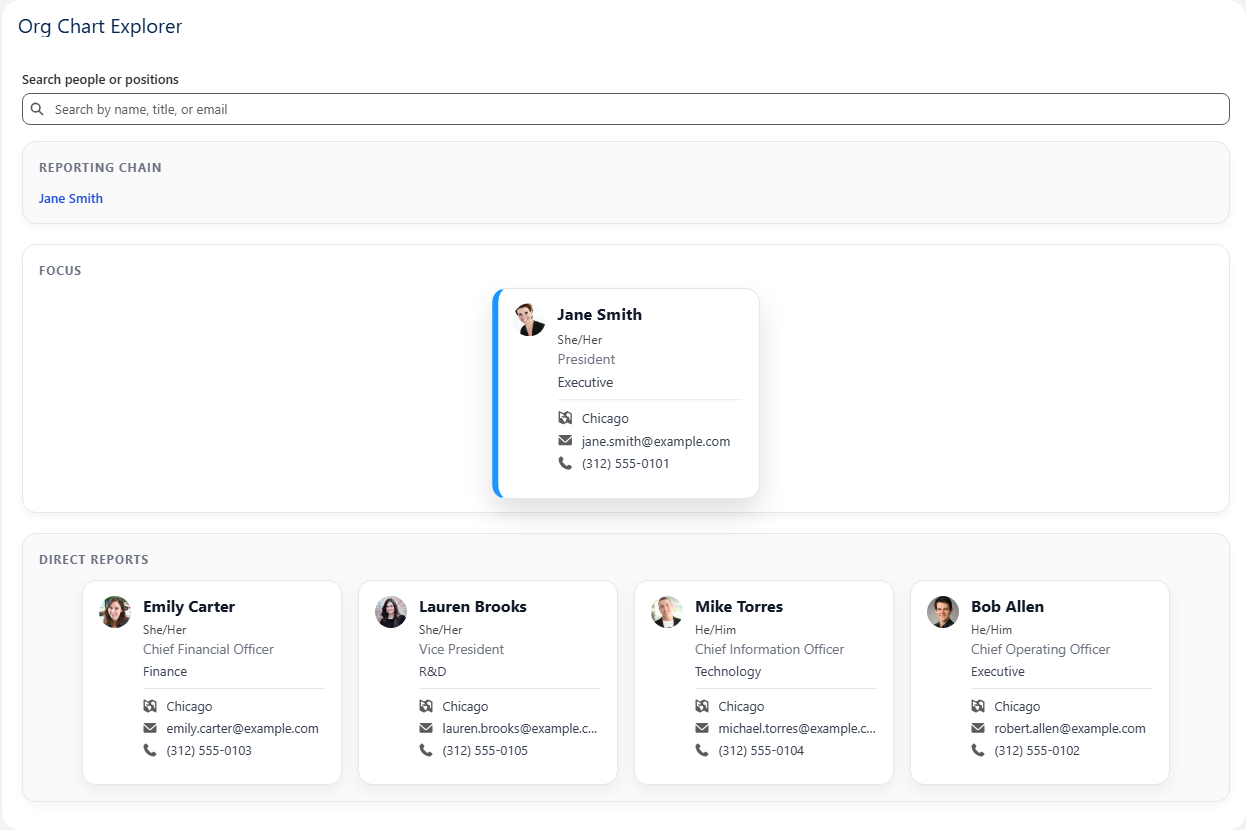
A better way to present organizational structure in Salesforce
Many teams already have hierarchy data in Salesforce, but not an experience that makes it easy to explore. Org Chart Explorer turns that data into a product your users can actually navigate and understand.
Make hierarchy easier to understand
Help users see reporting relationships clearly instead of piecing them together from records, lists, and disconnected fields.
Avoid a custom-built maintenance burden
Replace the cycle of one-off internal solutions with a packaged product designed to be installed, configured, and used.
Give admins something practical
The setup experience is built to be manageable for Salesforce teams without turning into another large implementation effort.
See the product in action
The experience is centered on fast navigation, clean presentation, and keeping surrounding hierarchy context visible while exploring a person or position.
Short product walkthrough inside Salesforce.
Designed to be useful, not flashy
Org Chart Explorer is built around the parts that matter most: clear hierarchy navigation, readable profile cards, and setup controls that make sense to admins.
Interactive hierarchy navigation
Search by person or position and move through the org chart while keeping key context visible.
- Reporting chain visibility
- Focused card view
- Direct report navigation
- Surrounding hierarchy context
Clean card-based presentation
Show the details people actually need in a layout that feels readable and professional inside Salesforce.
- Name, title, and department
- Pronouns, location, and contact info
- Photo support
- Polished node card design
Configuration for real admins
Map your object, parent relationship, and display fields without turning the app into a custom development project.
- Hierarchy object mapping
- Parent relationship setup
- Display field configuration
- Validation and link tools
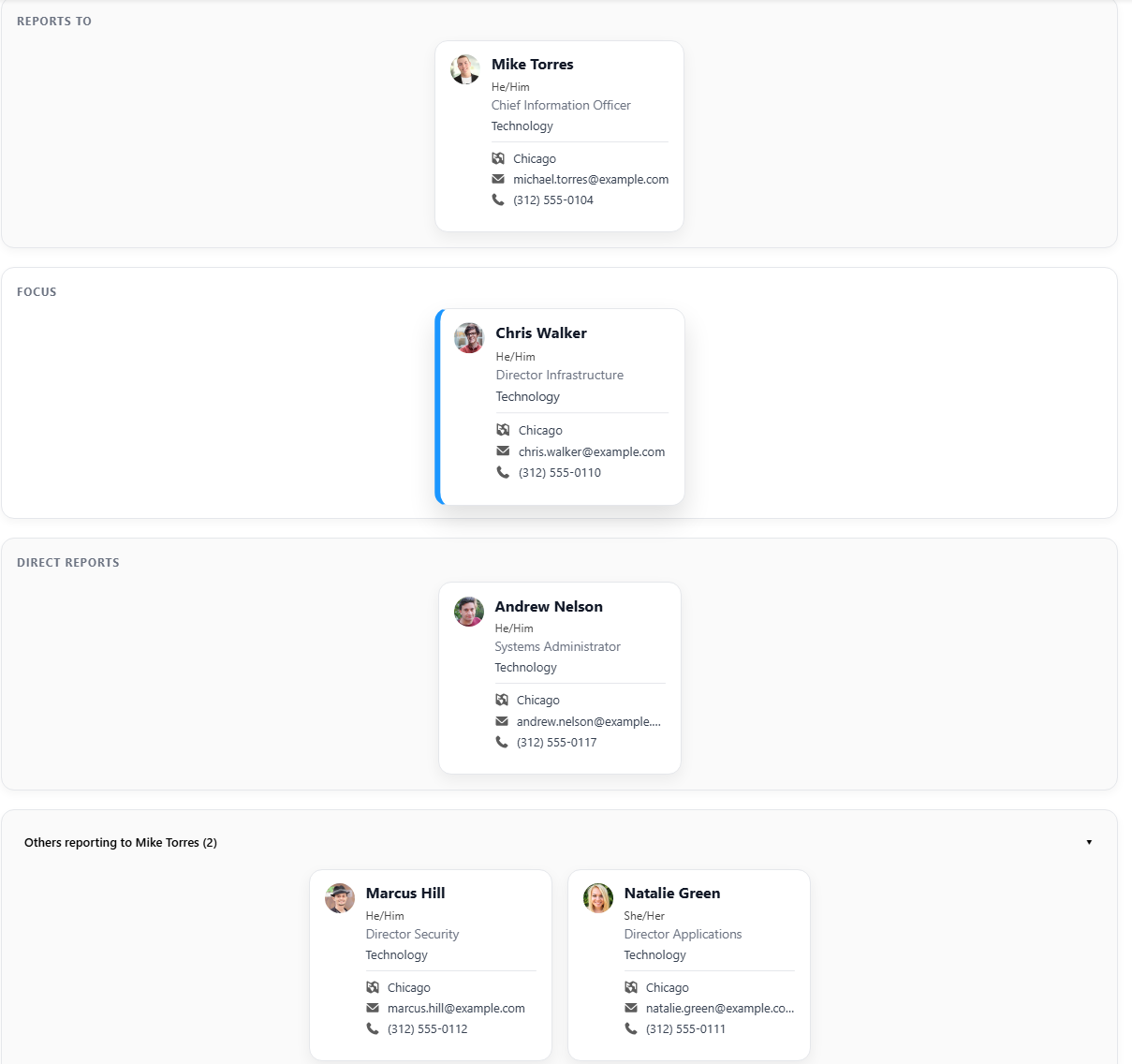
Explore reporting lines, focus on a node, and keep nearby organizational context visible.
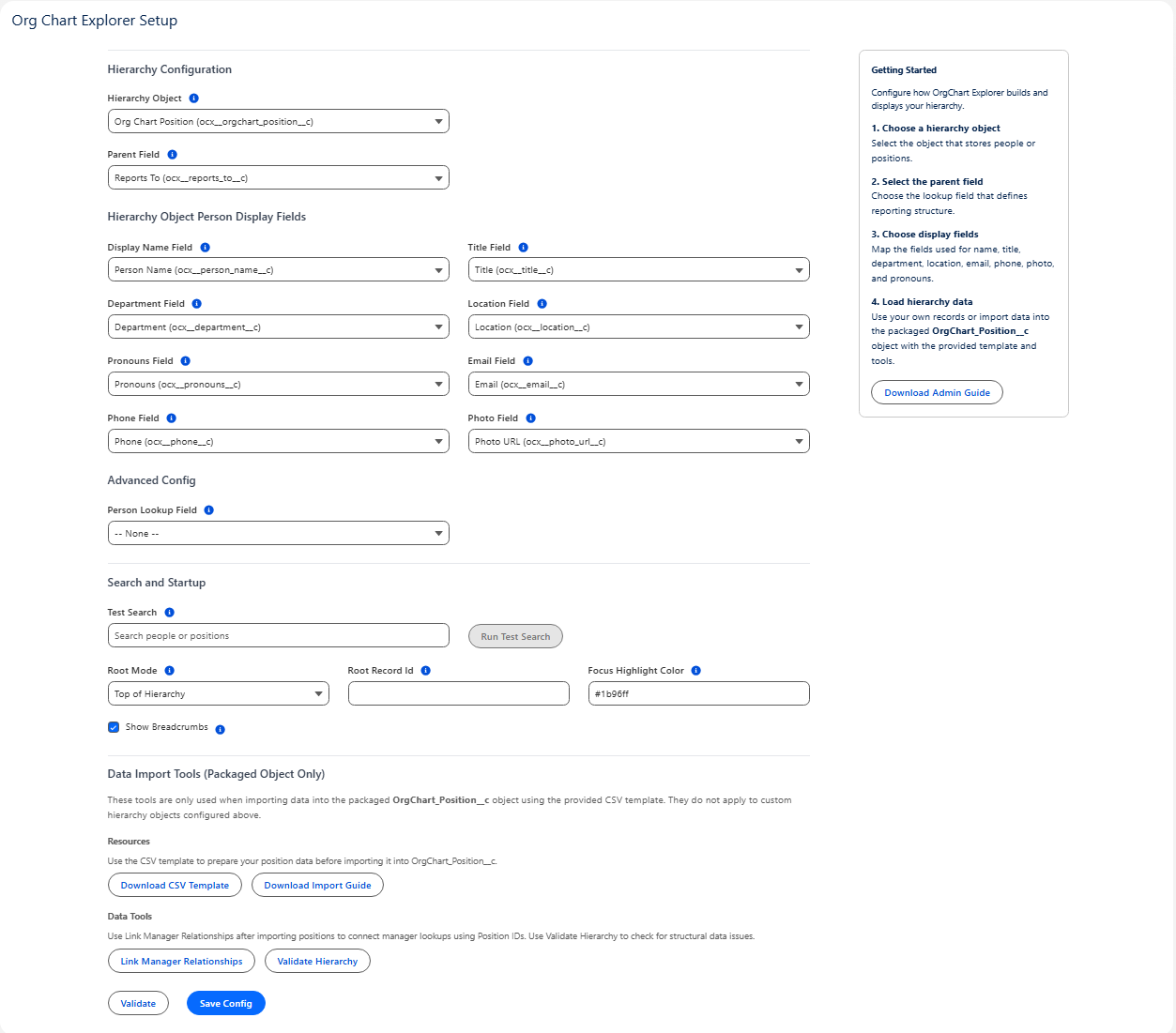
A setup experience built for control and clarity without unnecessary overhead.
A straightforward path from install to usable org chart
Instead of building an internal org chart solution from scratch, teams can install the app, configure the hierarchy, load data, and start exploring.
Install
Deploy the app in Salesforce and assign the Org Chart Explorer admin access needed for setup.
Configure
Choose your hierarchy object, parent relationship, and display fields for the org chart experience.
Load data
Use your own hierarchy data or import data into the packaged position object using the included tools.
Explore
Search people or positions, validate hierarchy structure, and launch a live org chart experience for users.
Org Chart Explorer is built for Salesforce teams that want a credible, packaged org chart experience without taking on the cost and maintenance burden of building one themselves.
Interested in Org Chart Explorer?
Reach out to discuss fit, ask questions, or talk through your Salesforce hierarchy use case.